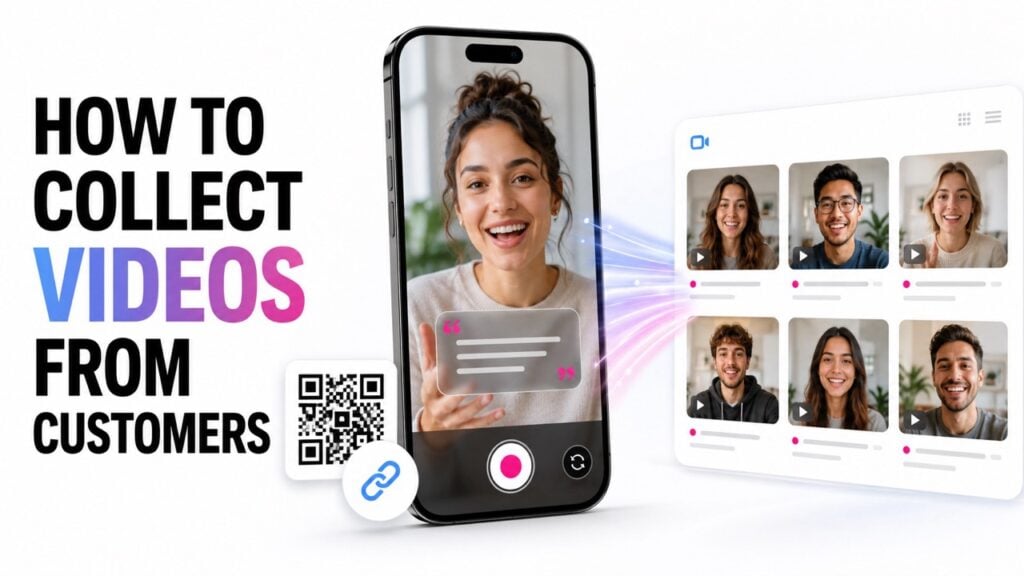
Collecting videos from customers is not just about giving people somewhere to upload a file. You need to decide what you want, reach the right audience, guide each recording, collect permission, and organize every submission. The process can support customer stories, product demonstrations, community videos, contests, fan participation, creative challenges, event content, and ongoing UGC collection. So, how to collect videos from customers can be simplified to reduce the burden on them, on you and increase the quality,.
The simplest approach is to create one guided video experience, share it through a link or QR code, and manage every submission in one place.
1. Start With the Goal
Before asking anyone to record, decide what the videos need to accomplish. A clear goal will shape the activity, the questions, the recording experience, and the way you contact participants.
You may want to:
- Collect customer stories or reviews.
- Invite people into a creative challenge.
- Gather product demonstrations or unboxings.
- Collect fan reactions or predictions.
- Capture videos from an event or community.
- Build an ongoing library of customer content.
Then identify the problem you are solving. Perhaps your team needs more original content. Maybe you want customers to participate in a campaign. You may also need a better way to collect videos from hundreds of people.
Do not begin with the tool. Begin with the outcome.
2. Decide What Videos You Want People to Create
Once the goal is clear, define the type of video you need. Avoid asking customers to “send us a video” without further direction. Most people will not know where to begin.
Decide what each person should record, how long the video should be, and whether it should be vertical or horizontal. You should also decide whether the video needs one answer or several short scenes.
For example, a creative product activity might ask someone to:
- Show the product.
- Demonstrate how they use it.
- Finish with a reaction or closing message.
A community project might ask people to share a memory, introduce a local place, or answer the same question from different locations.
Clear structure does not limit creativity. It helps people understand what to make.
3. Choose a Video Collection Tool That Saves Time for your and for them
Email attachments, shared folders, and upload forms may work for a few videos. They become harder to manage when participation grows.
Customers may upload files with unclear names. Large attachments may fail. Your team may need to match videos with contact details, permissions, questions, and campaign information manually.
A dedicated video collection platform should keep the full process together. It should let people record from a browser, follow instructions, submit their information, approve usage terms, and send the video into one organized library.
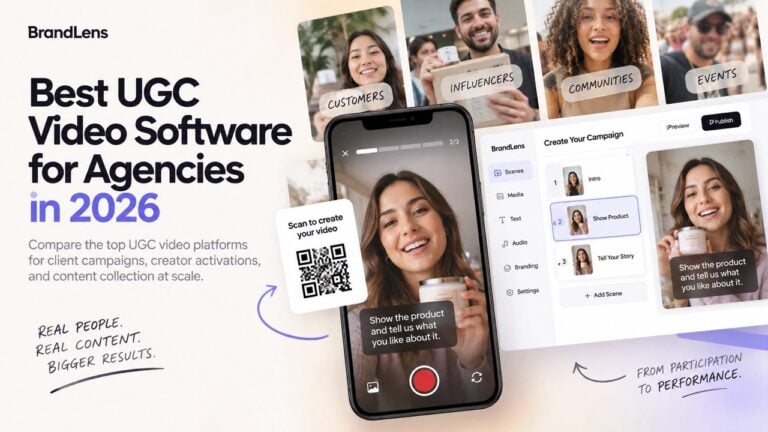
BrandLens is designed for this type of guided video collection. Organizations can create the recording experience once and share it with many participants through a link or QR code.
The right tool should reduce work for both sides. Customers should find it easy to participate. Your team should avoid sorting through disconnected files and folders.
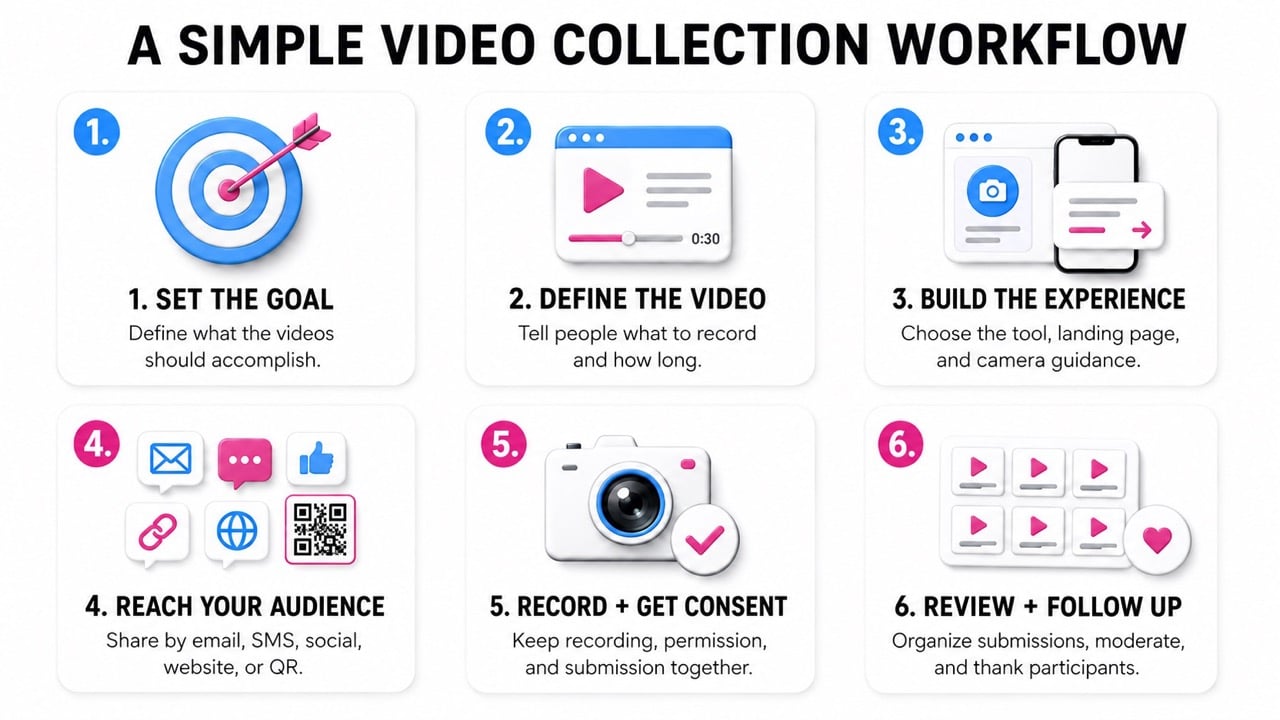
4. Plan How You Will Reach Your Audience
After creating the activity, decide how people will discover it. The best channel depends on the audience and your existing relationship with them.
You can share the video collection link through:
- Email campaigns.
- SMS or text messages.
- Social media posts.
- Online communities.
- Your website or customer portal.
- Receipts, packaging, or printed materials.
- QR codes at events or physical locations.
Email and SMS work well when you already know the participants. Social posts can reach a wider customer or fan community. Website placements can support ongoing video collection.
QR codes are useful when participation begins offline. They can appear at an event, inside a store, on product packaging, or beside an installation.
The message should explain the activity before asking people to open the link. Tell them what they will create, why it matters, and how long it should take.
5. Create a Clear Landing Page
The link should open a simple landing page. This page introduces the activity before the camera appears.
Keep the explanation short. Participants should quickly understand:
- Who is asking for the video.
- What they are being invited to create.
- Why the video is being collected.
- How long the process will take.
- Where the video may be used.
The page can also include an example, campaign image, logo, or short demonstration. These details help the experience feel trustworthy and intentional.
Do not overload the landing page with instructions. Its job is to explain the activity and help the participant begin.
6. Guide People right on Camera (teleprompting)
Once the participant opens the camera, they should not have to remember instructions from an earlier email.
Show questions and recording directions directly on the screen. These can appear above or beside the camera while the person records.
For someone unfamiliar with video production, an on-screen instruction might say:
Show us your creation and explain how you made it. Keep your video under 30 seconds.
You can also guide the participant through several short recordings. Each screen can show the next question, instruction, image, or example.
Teleprompter-style text can help when someone needs to read a specific line. This may be useful for introductions, event messages, greetings, or campaign statements.
However, not every video should feel scripted. Use teleprompting when exact wording matters. Use simple questions when personality and natural reactions matter more.
Basic filming tips can also appear on the camera screen. Ask people to face a light source, record somewhere quiet, and keep the phone steady.
7. Make Recording and Submission Simple
Participants should be able to record from a phone or computer without downloading an app. They should also be able to review the video before sending it.
Some activities may allow people to upload an existing video. Others may require recording inside the guided experience. Choose the method that fits the campaign.
Keep the number of steps reasonable. Every extra screen, login, or form field can reduce participation.
The experience should feel like answering a clear invitation, not completing an administrative task.
8. Collect Video Consent During the Same Process
Permission should be part of the video submission process. Do not collect videos first and then search for approval later.
Explain how the organization may use the submitted content. This may include websites, social media, internal communications, advertising, event screens, or edited campaign videos.
Participants should actively accept the terms before submitting. Their consent record should remain connected to the video in the content library.
This makes it easier for your team to understand which videos can be used and where they can appear.
9. Review and Organize Every Submission
Collecting the files is only part of the process. Your team still needs to review, approve, search, and use the content.
Each submission should include useful context, such as the participant’s name, contact information, campaign, answers, consent status, and review decision.
For high-volume activities, create a moderation process before launching. Decide who will review submissions and what should be approved, rejected, or flagged.
A central content library is more useful than a folder of video files. It allows the organization to understand what each video contains and whether it is ready to use.
10. Follow Up With Participants
After someone submits a video, confirm that it was received. A simple thank-you message reassures the participant and completes the experience.
You may also explain what happens next. Tell people whether selected videos will appear in a gallery, social campaign, event presentation, or edited collection.
When appropriate, let participants know when their content is published. Recognition can encourage future participation and strengthen the connection with the community.
Build the Process Before You Send the Ask
A successful customer video collection project starts before the first email, text message, or social post goes out. Define the goal. Decide what people should create. Build a clear landing page and guide them while the camera is open. Then collect consent and organize every submission from the start. This process can support one customer story or thousands of creative videos. The same principle applies in both cases. Make participation easy, but do not leave people without direction. The strongest video collection experiences combine freedom with useful structure.
Frequently Asked Questions
What is the easiest way to collect video content from customers?
Create one guided video experience and share it through a link or QR code. Participants should be able to read the instructions, record, approve the terms, and submit without downloading an app.
Can I collect videos from hundreds of customers?
Yes. The same video collection link can be shared with many people. A dedicated platform can keep each submission, participant record, and consent status organized.
What kinds of videos can I ask customers to submit?<
You can collect customer stories, creative challenges, demonstrations, reactions, fan videos, tutorials, contest entries, community messages, and event content.
How do I explain what customers should record?
Show clear questions or instructions on your landing pages and camera screen itself. Tell people what to show, what to say, how long to record, and what step comes next.
Can people read from a teleprompter while recording?
Yes. Teleprompter-style text can appear near the camera when participants need to deliver a specific message. It should be used only when exact wording is important.
How can I ask customers to participate?
Share the invitation through email, SMS, social media, your website, an online community, or a QR code. Explain the activity, the purpose, and the expected time commitment.
Should customers upload a video or record one directly?
Both options can work. Direct recording creates a more guided and consistent experience. Uploading is useful when people already have suitable footage on their device.
How do I collect permission to use submitted videos?
Place clear usage terms inside the submission experience. Ask participants to approve them before sending the video, then store the consent record with the submission.