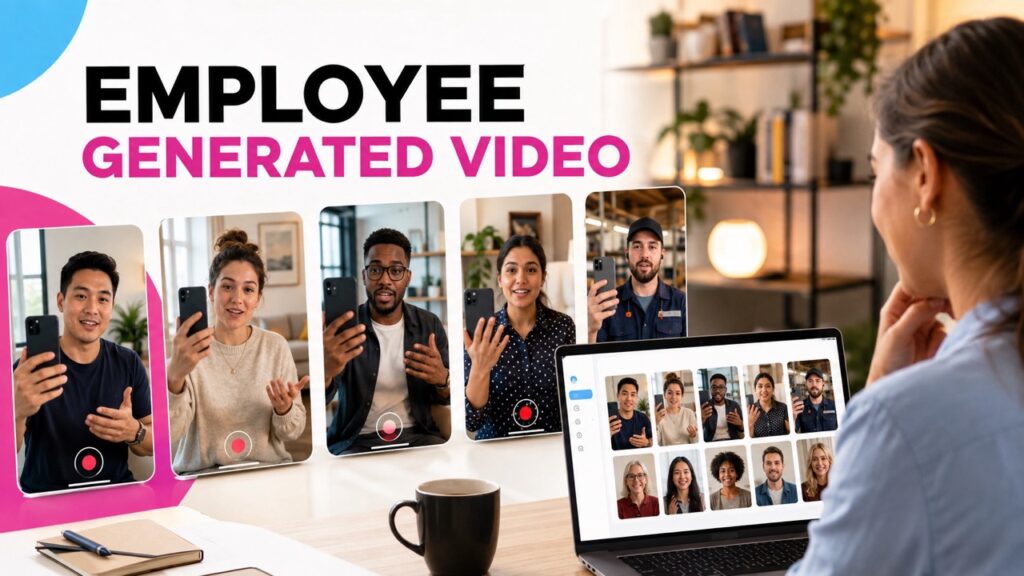
Your employees know the people, the work, and the moments that shape your culture. Their stories can welcome a new hire, give a team member credit, or show a job seeker what the work is really like. The hard part is learning how to collect employee generated videos without adding work for employees or your communications team. A broad request such as “send us a video” often leads to delays, weak answers, missing consent, and scattered files.
A better process gives employees a clear reason to join, a focused question, and a simple way to record. It also gives the company a safe way to review and use each clip.
What Are Employee Generated Videos?
Employee created videos are short videos made by people who work for an organization. They may share a story, explain a role, thank a peer, or teach a skill. The videos can stay inside the company or support hiring and public content.
These videos are not the same as a polished company film. Their value comes from the person, the detail, and the real point of view. BrandLens has already explored why employee generated content builds trust, but trust alone does not create a working program.
The case for human voices is getting stronger. Sprout Social’s 2026 research found that people want brands to put human made content first. It also found that employee content helps many people discover products.
1. Start With One Clear Goal
Begin by asking what the video should help someone understand, feel, or do. New hire introductions need a different prompt and sharing plan than public hiring content.
Pick one goal for the first campaign. You might welcome new employees, collect peer thanks, explain team roles, or show job seekers what a role involves. A focused goal makes every later choice easier.
2. Ask for a Specific Story
“Tell us about our culture” sounds simple, but it is hard to answer well. The employee must choose the topic, find the story, and judge the tone. Many people will delay, while others will give a broad answer that sounds like company copy.
A strong prompt points to one real moment. It should be easy to understand and answer from direct experience. Good prompts include:
- What is one moment that made you feel supported here?
- What advice would you give someone joining your team?
- Who helped you succeed this year, and what did they do?
- What does your team do that customers rarely get to see?
- What is one lesson from this project that you will use again?
Set a clear length as well. Most stories can work in 30 to 60 seconds, while a quick thank you may need less. A time limit helps people plan and keeps the videos easy to watch.
3. Make Participation Voluntary and Worthwhile
Employees should not feel like unpaid marketers. Explain why you are asking, who will see the video, and how the story may help. Make it clear that choosing not to record will not count against them.
This matters because low engagement is a real issue. Gallup reports that only 20 percent of employees worldwide were engaged in 2025. Video cannot fix a weak culture, but a fair invitation can support real recognition and connection.
4. Create a Simple Recording Path
Every extra step lowers the chance that an employee will finish. An app, account, file name, and folder upload create too much work. The team must then match each file with a name, prompt, and permission record.
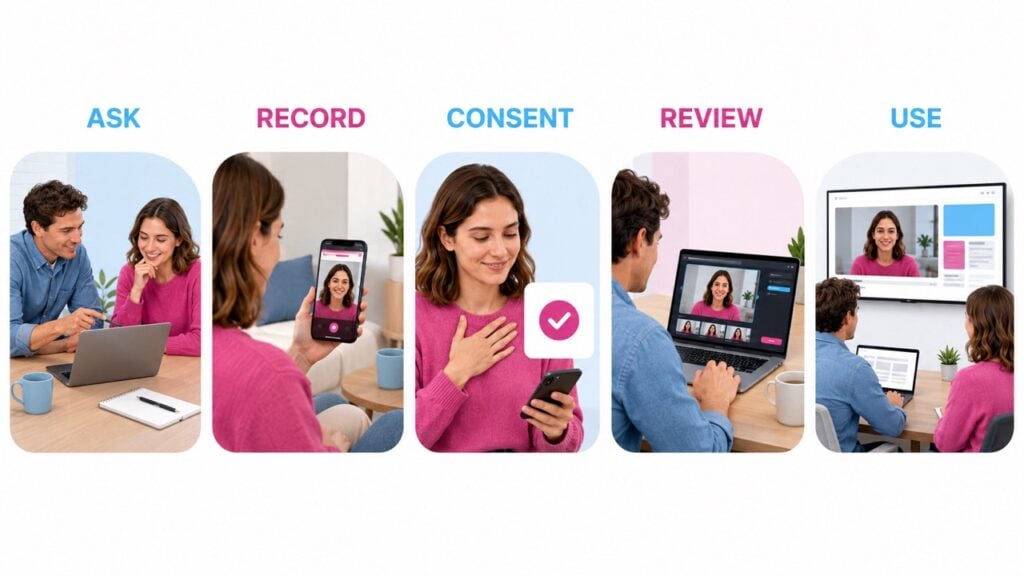
A better path starts with one link or QR code. The first page explains the purpose and collects needed details. The next page lets the employee record, review, and submit from the browser.
Five stages of an employee video collection process: ask, record, consent, review, and use.A simple employee video process moves from a focused question to recording, consent, review, and approved use.
The video should then arrive in one library with its context attached. BrandLens supports this type of app free employee video experience with links, QR codes, on camera prompts, consent, and private or public galleries. The employee gets a clear path, while the team avoids chasing files.
5. Guide Employees Without Writing Their Answer
Most employees need direction, but they do not need a script. Scripts make people sound alike and can turn a real story into a company statement. They also make people worry about saying each word the right way.
Use two or three short steps instead. Ask the employee to name the moment, explain why it mattered, and share one takeaway. On screen text or an audio cue can guide the answer while leaving the words to the employee.
6. Get Clear Consent Before the Video Is Used
An employee may be happy to share a video with coworkers but not want it in an ad. That choice should be clear before submission. State whether the video will stay internal, appear on a careers page, be posted on social media, or be edited for other public use.
Keep the consent language short and easy to read. Store the permission with the video so the team can find it later. Ask employees not to show private data, work screens, or people who did not agree to appear.
7. Review and Organize Every Submission
A good review protects people without removing every sign of personality. Check whether the video answers the question, has clear sound, respects privacy, and fits its approved use. Small pauses are not flaws when the story is clear.
Store each clip with the employee name, team, prompt, date, consent, and review status. Many programs fail at this point as they grow. BrandLens explains why content collection at scale needs a real workflow, not a mix of email, chat, and folders.
8. Use the Videos Where They Create Value
Employee videos can support more than social media. A private gallery can welcome a team, while peer thanks can open an all hands meeting. Role stories can also strengthen job pages, recruiting emails, and on-boarding.
Public stories can also extend reach. LinkedIn reports that posts from people earn about twice the engagement of the same content from company pages. The best channel still depends on the goal and the permission given.
9. Start With a Pilot and Measure the Process
Begin with one team, location, or event. A small pilot lets you test the invite, prompt, recording flow, review time, and sharing plan. It also gives you examples for the next group.
Track more than views and likes. Measure response, completion, approval, usable video rate, and review time. For hiring, you can also track visits to job pages and completed applications.
A Better Employee Video Program Starts With Respect
The strongest employee videos do not sound like HR copy. They feel specific and human because the employee knows why the story matters. The company provides the structure, but the employee keeps the voice.
Start with one purpose, one good question, and one easy recording path. Add consent, review, and organized storage before you invite more people. A few honest clips can then grow into a useful program without losing trust.