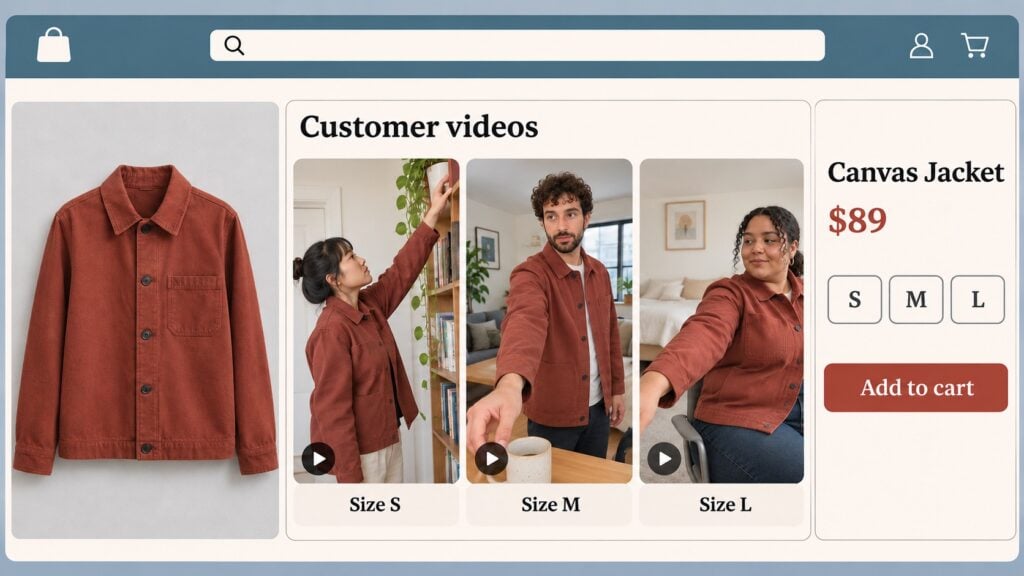
Say a Reel sends you to a jacket’s product page. You like the color. Now you’re picturing yourself reaching for the top shelf and wondering where the sleeves will end up. A few seconds of a customer doing exactly that would tell you a lot.
The best customer videos for ecommerce product pages answer a specific question that could hold up a purchase. Show how a jacket fits different people, how a new buyer sets up an appliance, or how a product works at home. Place each clip beside the size, option, or spec shoppers are checking when that question comes up.
On November 16, 2026, Instagram expanded where eligible creators can add Amazon affiliate links. Reels and feed posts now support those links, according to TechCrunch’s coverage of the rollout.
That’s a shorter path from a recommendation to an Amazon listing. Once shoppers land on a product page, the questions get personal. Will this fit me? Can I put it together on my own? What does it sound like in a quiet kitchen?
Which shopper questions are worth filming?
Pick a product and pull up its support chats, review comments, questions on the listing, and reasons for returns. Write down the words shoppers actually use. A return reason like “the lid hits my cabinet” gives you a precise filming brief. Show how much space the lid needs to open.
Start with a question that comes up often, affects the decision, and benefits from seeing the action. Fit is a good example. Baymard asked apparel and accessories shoppers what they look for in customer reviews. Size accuracy and fit details came first, cited by 48% of shoppers in its 2026 survey.
Some questions have a simple written answer. Put sleeve length in the size chart. Then show someone reaching in the jacket. The action gives them something specific to film, a principle from our guide to briefing customers for UGC.
Customer videos for ecommerce product pages by shopper question
Find the question shoppers keep asking, then use that row to choose what to film and where it should appear. The prompts are ready to send. Adjust the action to match the product and invite people who’ve actually used that version.
| Shopper question | Video format | Exact recording prompt | Where it belongs |
|---|---|---|---|
| What size should I order? | Fit check with buyers wearing different sizes | “Say the size you bought and share your height if you’re comfortable. Show the front and side. Then reach or sit so we can see how it moves.” | In the gallery, with a link beside the size guide. |
| Will it fit under my cabinet? | Scale and clearance demo | “Film it on your counter with the lid fully open. Hold a tape measure beside it so we can see how much space it needs.” | Next to the dimensions diagram, with a gallery thumbnail. |
| Can I set it up on my own? | First setup with a new buyer | “Record the first step you take after opening the box. If there’s a step you had to reread or try twice, show us that part too.” | Beside the setup details or assembly instructions. |
| How will this shade look on me? | Application or swatch in daylight | “Say the shade name. Film your lips before you apply it, then right after, near the same window. Keep your camera filters off.” | By the shade picker, labeled with the shade shown. |
| How loud is it when it runs? | Demo with the original sound | “Say which setting you’re using and how far away your phone is. Record it running in a quiet room and leave the original sound in.” | Near the operating specs or sound information. |
| What comes in this bundle? | Unboxing with all parts laid out | “Say which bundle you bought. Lay out everything that came in the box, including the small parts. Point out any accessories you bought separately.” | Beside the written list of what’s included. |
| What’s it like to clean after using it? | Cleanup demo after everyday use | “Show us how you clean it after using it. If anything traps crumbs, sticks, or takes a second rinse, show that spot up close.” | In the care section, with the relevant customer review when there is one. |
For fit and shade, ask several customers. Two customers may both wear a medium, with the jacket sitting differently at the shoulders or falling at a different point on the hip. Ask them to film the same action so people can compare, then label the clip with the size worn and any measurements they share. Baymard observed shoppers using that context alongside a size chart in its research on apparel sizing.
Where should customer videos go on a product page?
Put the main decision videos in or beside the product image gallery. Use a still from the moment that answers the question, with a visible play button and a label shoppers can read before tapping. “See the lid fully open” tells shoppers why they’d tap. Link to that same clip next to the dimensions, where someone checking cabinet clearance will look for the answer.
Baymard found that some shoppers missed videos located far from the image gallery. One Crate & Barrel page offered the same clip in its gallery and again farther down, as documented in Baymard’s product video placement tests.
Keep the essential facts visible in text and photos. If the appliance needs 21 inches with its lid fully open, put that measurement beside the closed dimensions. Shoppers can scan it on a phone. That matters for the 59% of participants who consistently skipped videos in Baymard’s product page usability tests.
On mobile, test how long it takes to see the product photos and reach the size or variant selector. Use a lightweight preview image. Wait to load the video until someone chooses to play it, following web.dev’s video performance guidance.
Make the answer easy to pick up while the phone is muted. For a fit clip, put the size and what the clip shows in a line of text beside it. Caption speech and meaningful sounds, such as a latch clicking shut, following the W3C’s guidance on captions.
How do you get customers to record useful clips?
Ask the customer to show one thing. For a coffee grinder, try “Run it long enough for us to hear it at your usual setting.” Give them a time target and space to describe what happened in their own words. The unglamorous three seconds when the motor kicks in may be the most useful footage you get.
Time your request around real use. Ask for an unboxing around delivery so a new buyer can film the first setup while it’s actually happening. For cleanup, wait until they’ve used it. Capture the product and variant with the clip so your team can tell the old lid from the new one six months later.
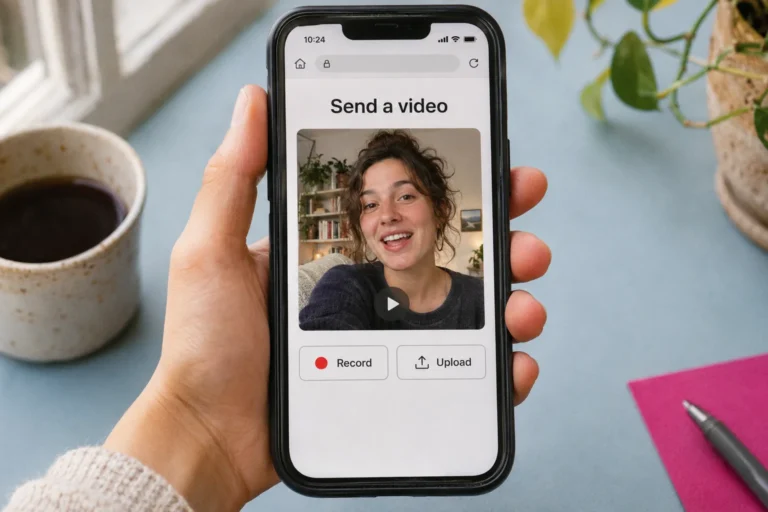
For several products, give customers the shot instructions as they record. For a jacket, you might ask for the size in one step and a short clip of them reaching in the next. BrandLens lets a team set that up once, then collect the video, product details, and permissions through a guided recording link.
Tell customers where the clip may appear and get permission before publishing. Keep caveats that affect the answer. If you offer a reward for a review, make it independent of what the customer says. Clearly disclose material connections such as free products or payment, following the FTC’s guidance for U.S. reviews and testimonials.
Frequently asked questions
How long should a customer video on a product page be?
Start with 15 to 30 seconds for a fit check, a swatch, or a single product action. Give setup clips enough time to show the part people need to see. Cut the long greeting and keep the step that answers the question.
Can you reuse a customer video from Instagram on a product page?
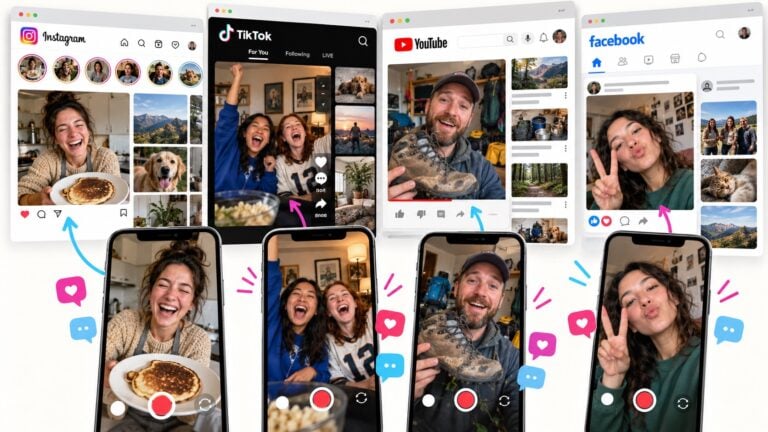
Yes, when you have permission for that use and the video shows the item you’re selling. Ask for the original clip when possible. It’s easier to caption, label with the right variant, and trim around the moment shoppers came to see.
Should a customer video be a demo or a review?
Use a demo when someone needs to see how an action works, such as opening a lid with one hand. Use a review when they need to understand what ownership feels like over time. A review can do both if the customer shows the action and describes their routine, like how often they need to take it apart.
How can you tell if a video helps shoppers decide?
Give a few people who match your buyers a real shopping task. For a countertop appliance, tell them how much clearance they have and ask them to pick a model. Let them browse on their own phones. Then ask, “Would you buy this one for your kitchen? What on the page helped you decide?”
Pay attention to where they look. If they miss the clip, change its label or placement. If they find it and still guess at the clearance, film that part again. Stores doing this across a catalog can keep submissions tied to each product with customer video collection for ecommerce.
With enough traffic, randomly show shoppers the current page or the same page with the clip. Hold the rest of the page steady and keep shoppers in the same group when they return. Compare the share of visitors who buy in each group, including the people who skip the video. For a fit clip, also compare how often orders are returned for sizing once both groups have had the full return window.
Go back to the shopper with the low cabinet. If they can point to the moment the lid opens and explain why they chose the smaller model, the clip did its job.