Collecting customer testimonials should be simple. Yet many B2B marketing teams still depend on scheduled interviews, email attachments, and manual video editing. A customer agrees to share their story. Someone sends recording instructions. The customer films a video, but the answer misses an important question. Now the marketing team needs another recording, more editing, or both. The problem isn’t the customer’s willingness to participate. It’s the process surrounding the recording. The best B2B UGC platforms solve this problem before the camera starts recording. They help customers tell useful stories while giving marketing teams a consistent way to collect, review, and reuse the results. But these platforms are not interchangeable. Some focus on collecting testimonials and displaying them on websites. Others support guided video production, customer feedback, or large-scale video submissions.
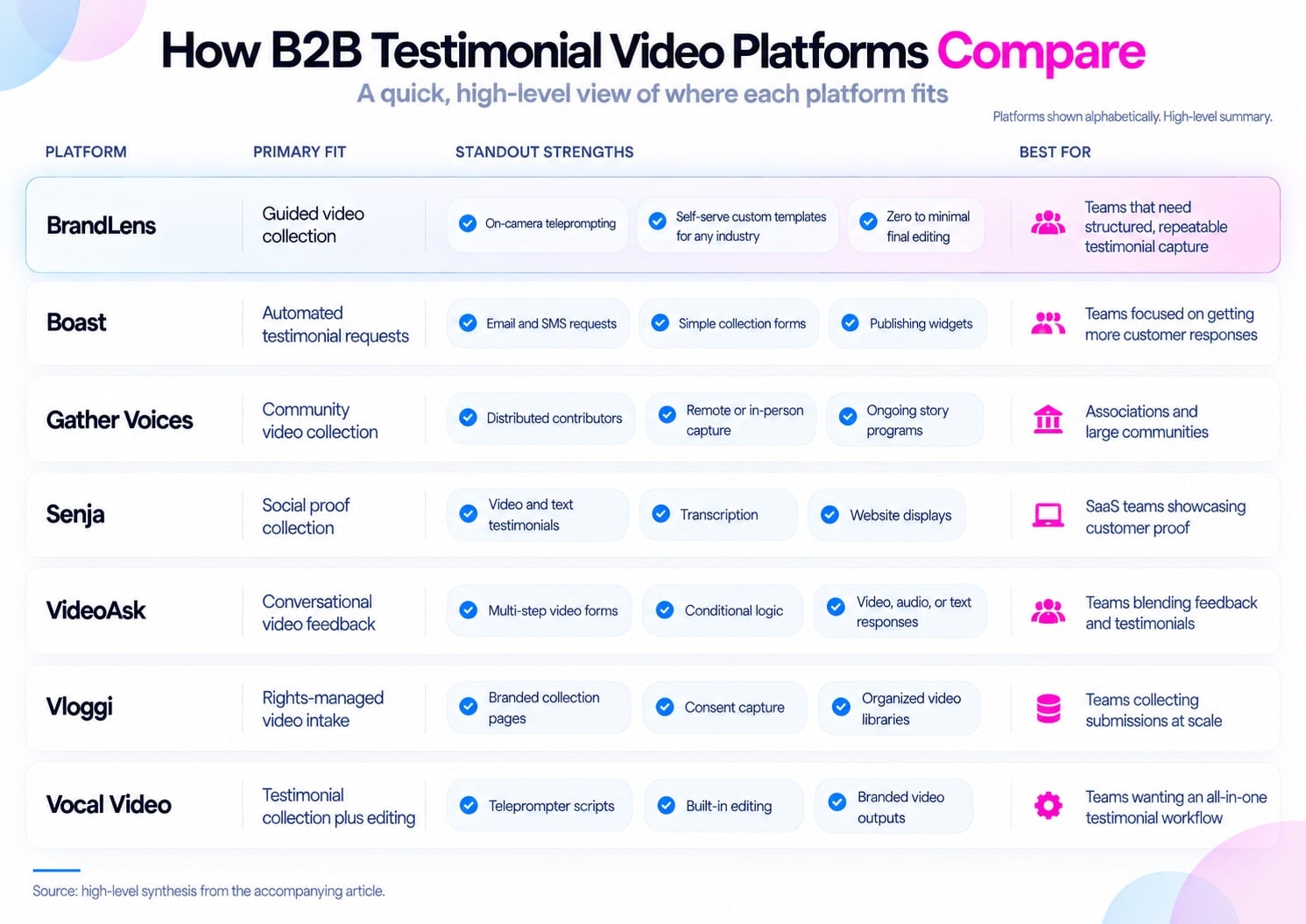
This guide compares seven platforms based on their documented capabilities, workflow design, and practical use cases.
Disclosure: BrandLens publishes this comparison and is included among the platforms. Product information comes from publicly available vendor documentation, not independent hands-on testing. The platforms appear alphabetically.
What B2B UGC Platforms Should Deliver for Testimonial Videos
A testimonial platform needs to do more than accept video uploads. B2B customer stories often involve several people, detailed products, and specific business outcomes. A vague request can produce a video that sounds positive but says very little.
The recording experience should help customers explain what changed and why it mattered. Marketing teams also need to collect permission, identify each contributor, review submissions, and prepare the videos for publication.
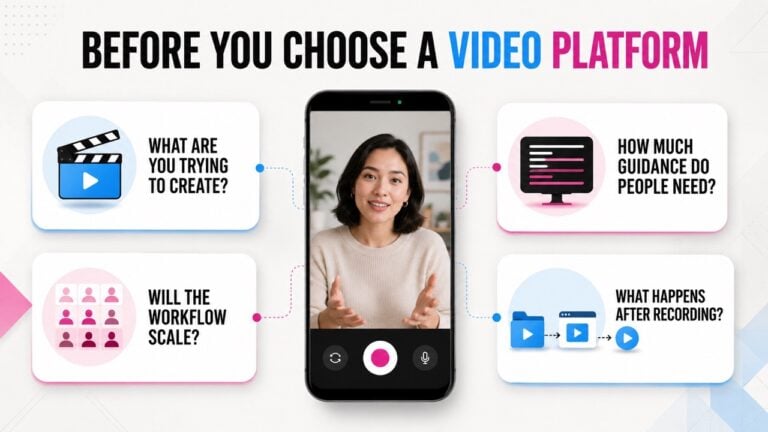
Before comparing platforms, consider six capabilities.
- Easy participation: Customers should record directly from a link without installing unfamiliar software.
- Guided recording: Clear prompts should help customers explain their experiences without memorizing a script.
- Flexible templates: Teams should control questions, branding, recording structure, and required information.
- Rights management: Permission should be collected during submission and remain connected to the video.
- Organized review: Marketing teams should find, review, and approve submissions without searching through folders.
- Minimal postproduction: The recording process should reduce the work needed to create a publishable video.
These capabilities matter more when testimonial collection becomes a repeatable process. A single customer interview can tolerate extra coordination. Collecting stories from dozens of customers across several markets requires a more structured approach.
Our guide to collecting video submissions without upload chaos explains why the intake process matters as much as the recording itself.
Best B2B UGC Platforms for Testimonial Videos: Seven Options
The following platforms address different parts of customer video collection. Some specialize in testimonials. Others offer broader video submission technology that can support testimonials alongside other business requirements.
The right choice depends on where your current workflow breaks down.
1. BrandLens: Guided Video Collection With Custom Recording Templates
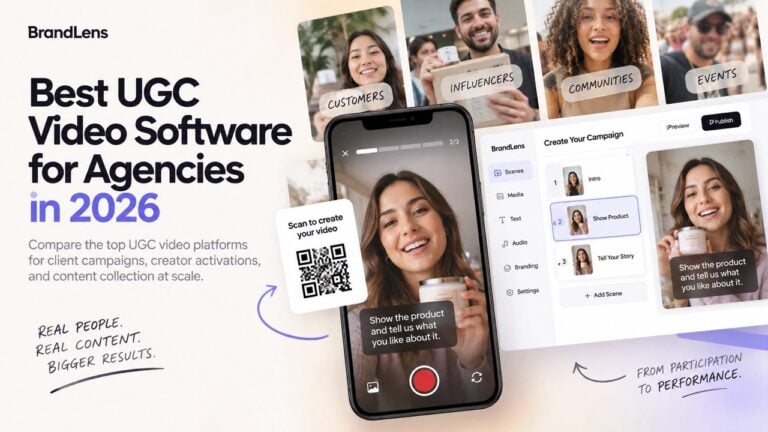
BrandLens is a video technology platform designed to help organizations create, collect, and manage video submissions. Rather than asking customers to record an unstructured video, teams create guided recording experiences.
Customers access these experiences through a link or QR code. They follow on-screen instructions, record their responses, and submit without downloading an app. The distinction is that the organization designs the recording experience before inviting participants.
Key capabilities include:
- On-camera teleprompting and guided recording instructions.
- Self-serve, customizable video templates with multiple scenes.
- Browser-based recording through links and QR codes.
- Built-in consent and usage rights collection.
- A centralized library for reviewing and organizing submissions.
- Branded recording experiences designed around different industries and use cases.
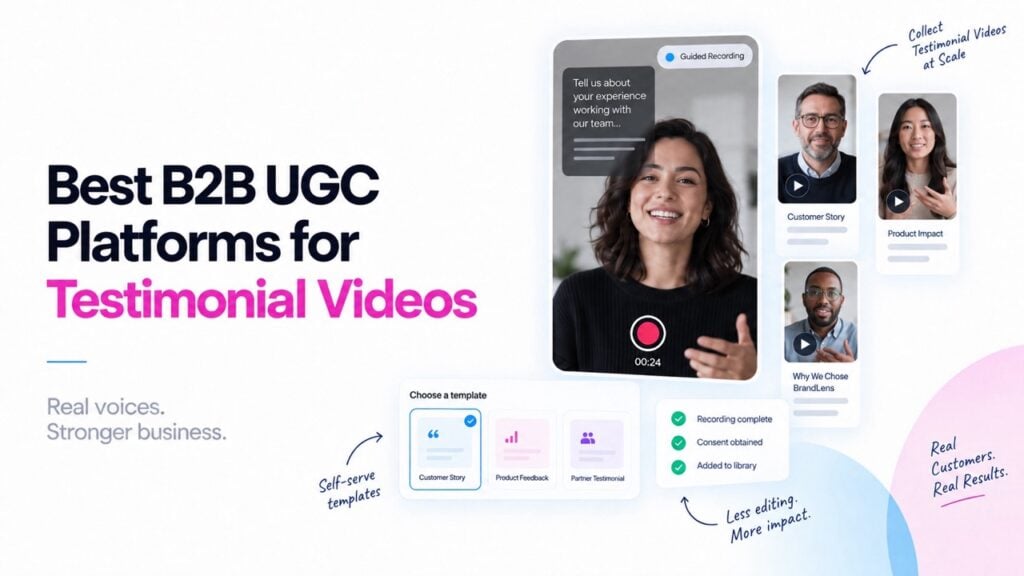
The custom templates are particularly relevant for B2B testimonials. A SaaS company might ask customers to describe their previous workflow, implementation experience, and business results.
A professional services firm could use the same technology with entirely different questions, assets, and recording instructions. The organization controls the experience without requiring a custom software project for each industry.
On-camera teleprompting also helps participants deliver specific introductions or required statements. For personal experiences, open questions allow customers to speak in their own words.
This approach can reduce the need for extensive editing afterward. When the recording structure is planned correctly, teams may only need to review, approve, or make minor adjustments before publishing.
Where BrandLens fits: Organizations that need flexible video collection across customers, departments, industries, or recurring business programs. Teams should still account for their review standards and any channel-specific editing requirements.
2. Boast: Automated Testimonial Requests and Customer Follow-Up
Boast focuses on collecting and publishing customer testimonials through a structured request process. Teams can create testimonial forms, share collection links, and embed forms on their websites.
The platform also supports automated email and text message requests. That makes it relevant for organizations where the main challenge is getting customers to respond consistently.
For example, a customer success team could invite customers to submit testimonials after completing an implementation. Automated follow-ups reduce the need to manually chase each response.
Boast also supports review and publishing workflows. Teams can approve submissions, create website widgets, and download videos for other marketing channels. Its broader feedback tools include online review collection and customer surveys.
This creates a practical workflow for organizations that want to coordinate different forms of customer feedback.
Where Boast fits: B2B teams that need structured testimonial requests, automated reminders, and straightforward website publishing. Organizations with detailed recording requirements should examine how much creative guidance the forms provide.
The key question is whether the collection process produces videos that meet the team’s production needs.
3. Gather Voices: Community and Member Video Collection
Gather Voices helps organizations collect, manage, and produce video content from their communities. Its platform supports remote and in-person video capture, along with editing and publishing workflows.
This makes it relevant for organizations with large networks of customers, members, employees, or other contributors. Consider a professional association collecting member testimonials across several regions.
Scheduling individual interviews could require significant coordination. A shared collection process allows members to contribute without gathering in one location.
Gather Voices also supports turning submitted footage into finished videos. The company describes use cases involving member stories, events, marketing, and organizational communications. Its website includes an ASAE case study describing more than 1,600 member and staff stories collected over five years.
That example illustrates how a video collection process can support ongoing organizational needs.
Where Gather Voices fits: Associations, membership organizations, and enterprise teams collecting stories from distributed groups. Buyers should examine how its capture, production, and review workflows fit their internal resources.
A team with dedicated production staff may have different requirements from one seeking ready-to-publish videos.
4. Senja: Collecting and Displaying Customer Social Proof
Senja focuses on collecting, organizing, and displaying customer testimonials. Its collection forms support text, image, and video testimonials.
Customers can submit feedback through a shared link. Teams can also import existing testimonials from other platforms. Video testimonials are automatically transcribed, making their content easier to search and reuse.
Senja also offers website widgets and testimonial displays, including its Walls of Love. These features make the platform relevant for businesses that want to turn customer feedback into visible website content.
For example, a B2B software company might collect short customer videos and display them on product pages. Senja can also support testimonial collection through multiple forms, each with different questions or purposes.
Its consent settings allow teams to request permission and configure sharing options. Organizations requiring formal, electronically signed release agreements should review their specific requirements. Senja’s documentation describes using an external agreement when that level of consent is needed.
Where Senja fits: SaaS companies and smaller B2B teams focused on collecting testimonials and displaying social proof. Teams that need detailed video production templates should test the recording experience against their creative requirements.
5. VideoAsk: Conversational Video Collection and Customer Feedback
VideoAsk uses conversational video forms to collect responses from customers and prospects. Organizations can present questions through video and allow participants to respond using video, audio, or text.
The experience can include multiple steps and conditional logic. This makes VideoAsk useful when the collection process needs to feel like a conversation rather than a traditional form.
A marketing team could use it to ask customers about their buying experience. The responses might provide customer research, testimonial material, or both.
VideoAsk supports downloadable video files and integrations with external storage tools. Its testimonial workflow also supports collecting consent. The platform belongs to Typeform, which offers additional form and research capabilities.
Where VideoAsk fits: Teams combining customer feedback, conversational forms, and video testimonial collection. Organizations should consider whether they need conversational responses or a more structured final video.
Several short answers can provide valuable information. They may still require editing before becoming one cohesive testimonial.
6. Vloggi: Rights-Managed Video Submissions at Scale
Vloggi is a video submission platform for collecting content from customers, communities, and other contributors. It supports branded collection pages, video surveys, and direct recording.
Contributors can submit videos without creating accounts or downloading an app. The platform also emphasizes structured libraries and content permissions.
Its collection workflow can capture contributor information, consent, and attribution data. Submissions enter a library where teams can organize, review, and export content. Vloggi also provides video formatting and compilation tools.
These capabilities can support organizations that collect large amounts of footage from different sources. For example, an enterprise marketing team might collect customer stories across several countries.
The team would need to manage submissions, identify contributors, and track permission before using the videos. Vloggi’s rights-management approach addresses that operational challenge.
Where Vloggi fits: Organizations prioritizing structured video intake, contributor records, and reusable content libraries. Teams should compare its recording guidance and final video output against their specific testimonial requirements.
A platform that collects footage efficiently does not automatically eliminate every production task.
7. Vocal Video: Customer Testimonials With Built-In Editing
Vocal Video specializes in collecting, editing, and publishing testimonial videos. Organizations create video collectors with customized questions and branding.
Customers receive a link and record their responses directly from a browser. The platform offers recording prompts, teleprompter scripts, and reusable collector templates.
It also supports release forms, with custom releases available on qualifying plans. After collection, Vocal Video provides editing tools that help teams prepare videos for publication.
These include transcript-based editing, automated video drafts, branding, captions, and other production features. This makes it relevant for B2B teams that want to produce finished customer stories without relying on traditional video editing software.
For example, a SaaS company could collect several customer responses and create a branded testimonial for its website. Vocal Video also supports publishing individual videos and displaying them through embedded galleries.
Where Vocal Video fits: Marketing teams that want a testimonial-specific workflow combining guided collection, editing, and publishing. Buyers should compare its editing workflow with their desired production process.
Some teams prefer editing after recording. Others want templates that establish the final creative structure before recording begins.
How to Choose Between B2B UGC Platforms
Feature lists can make several platforms appear similar. A better approach is to test each platform against a real customer testimonial workflow.
Choose one customer story that your team would genuinely want to publish. Then run the entire process, from invitation through final approval.
Pay particular attention to five questions.
1. Can customers record without technical assistance?
Send the collection link to someone unfamiliar with the platform. Ask them to complete the experience without additional instructions. Watch for unnecessary account creation, confusing camera controls, or unclear submission steps.
2. Does the recording experience produce useful answers?
A customer saying they love your product is not a complete case study. The recording process should help them explain their challenge, experience, and results. On-screen prompts and well-designed templates can improve the structure of those answers.
3. How much editing happens after submission?
This is one of the most important questions. Some platforms provide editing tools that make postproduction easier. Others emphasize designing the video before recording, reducing how much editing is needed afterward. Neither approach removes the need for human review. The difference is where the work happens.
4. Are usage rights connected to the submission?
Marketing teams should know which videos they can publish, edit, or use in advertising. That information should not depend on an old email or a separate spreadsheet. For B2B programs, teams may also need approval from the customer’s employer. A guided video submission workflow can bring recording instructions, contributor information, and permission collection into one experience.
5. Can the platform support more than one type of testimonial?
A product review and an enterprise case study need different questions. A customer success team may want short, informal stories. A corporate marketing team may need structured responses about measurable outcomes. Look for a platform that lets you adapt the process without rebuilding it from scratch.
How to Collect Better B2B Testimonial Videos
Software can guide a recording. It cannot invent a genuine customer experience. The quality of the story still depends on the questions.
Many testimonial requests fail because they ask customers to describe a product instead of explaining what happened. A better approach is to focus on the customer’s journey.
Consider these five questions:
- What challenge were you facing before choosing our solution?
- What made you decide to try it?
- How did the implementation or onboarding process work?
- What changed after you started using it?
- What would you tell another organization facing the same challenge?
These questions create a natural narrative without dictating the customer’s opinion. They also help marketing teams identify which parts of the story matter to potential buyers.
Keep the prompts focused. Customers should not feel that they need to deliver a presentation. For most testimonial programs, several short responses are easier to manage than one long recording.
The right recording structure can also reduce editing work. Teams can collect the story in usable segments rather than searching through a lengthy interview.
But authenticity matters more than perfect delivery. A hesitant customer describing a real experience may provide stronger evidence than someone reading a polished marketing script.
The goal is to guide the story, not manufacture it.
Frequently Asked Questions About B2B UGC Platforms
What is a B2B UGC platform?
A B2B user-generated content platform helps organizations collect and manage content created by customers, employees, or other contributors. For testimonial videos, these platforms typically support recording, submission, review, and publication. Some specialize in customer testimonials. Others support broader video collection workflows across an organization.
Which features matter most for collecting customer testimonial videos?
Start with easy recording, clear prompts, flexible templates, and consent collection. Then examine review tools, video organization, and the work needed to prepare each video for publication. The most useful platform addresses both the customer’s recording experience and the marketing team’s operational needs.
Can B2B video testimonials be collected without an app?
Yes. Several platforms in this comparison support browser-based recording through a shared link. BrandLens, Boast, VideoAsk, Vloggi, and Vocal Video all document browser-based recording experiences. The exact recording steps and available features vary by platform.
Do video testimonial platforms eliminate editing?
Not necessarily. Some platforms provide built-in editing tools. Others use guided recording and structured templates to reduce the need for editing afterward. The amount of remaining work depends on the recording quality, final format, and publication requirements. A short customer testimonial may need little editing. A detailed case study could require more production work.
Do B2B companies need permission to publish customer testimonials?
Organizations should obtain appropriate permission before publishing or repurposing customer videos. The permission should clearly explain the intended uses of the content. Teams may also need employer approval or additional rights for logos, music, and other material. The FTC’s endorsement guidance also addresses truthful testimonials and the disclosure of relevant relationships or incentives.
Requirements vary by jurisdiction and use case.
The Best Testimonial Workflow Starts Before Recording
Choosing a B2B UGC platform is not simply a decision about where videos are stored. It is a decision about how customer stories are created.
A platform may offer excellent editing tools but require significant work after every submission. Another may simplify collection while leaving teams with unstructured footage.
The right workflow should make participation easy and reduce unnecessary work throughout the process. For organizations that need consistent video submissions across different industries, guided recording is especially relevant.
Custom templates, on-camera instructions, and integrated permissions help teams establish the recording requirements before customers participate. That is the approach behind BrandLens’ guided video testimonial collection technology, which combines custom recording experiences with organized video intake.
The larger principle applies regardless of the platform. The less work a customer must do to tell their story, the easier it becomes to collect one worth sharing.