A folder full of clips can still leave your team with nothing it can use. That’s the frustrating part of UGC for brands. Someone filmed the wrong story, permission is unclear, or the best clip arrives after the offer expires.
The marketer’s job starts before anyone presses record. Give people a clear reason to contribute, define what you need, and agree how you’ll use their work. More submissions won’t rescue a bad request.
Our guide to UGC video filming do’s and don’ts covers what happens in front of the camera. This guide covers the brand’s side: finding people, setting expectations, protecting trust, and putting the clips to work.
The short answer: To collect useful UGC, brands should set one goal and invite the right people. Give them a clear brief. Agree payment and usage terms, explain disclosures, and test the request before you scale it. Review each submission, track rights and end dates, and measure usable videos alongside business results.
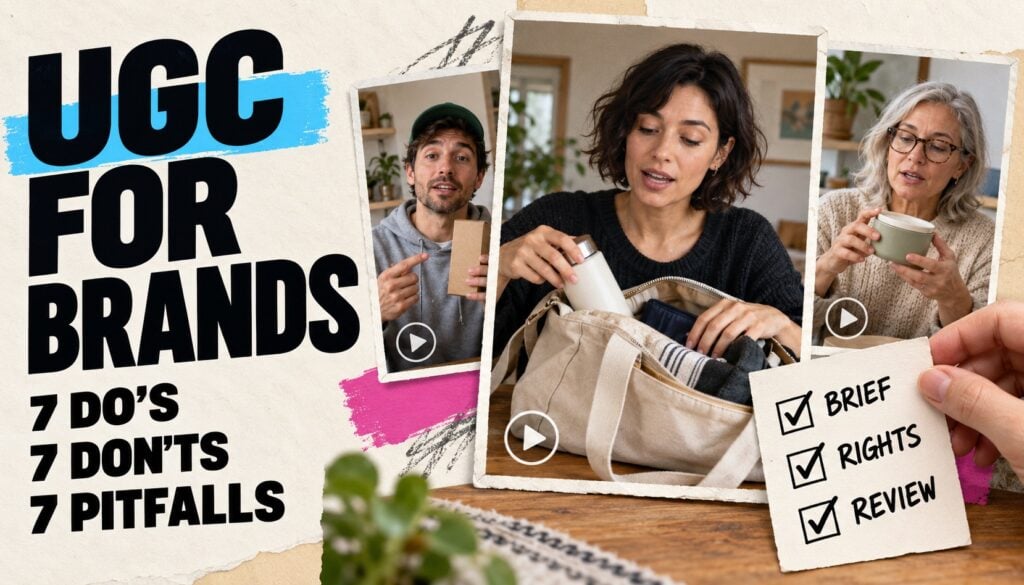
In this guide: 7 do’s · 7 don’ts · 7 pitfalls · Sample request · Common questions
What counts as UGC for a brand?
Customer UGC is content people create based on their use of a product or service. Marketers also use “paid UGC” for videos commissioned from professional creators. Keep those sources distinct. Don’t pass off a paid role as a customer’s unprompted praise.
UGC for brands: 7 things marketers should do
1. Choose the question and destination first
Decide what the viewer should understand after watching, then choose where the video will appear. A product page may need an honest demonstration of size or fit. A nonprofit’s volunteer page may need a first-hand story about someone’s first shift.
Write that purpose into the brief before choosing a format or asking people to take part. “Show what fits inside this bag” gives people a useful starting point. “Create something engaging about our brand” leaves the hardest decision sitting in their lap.
2. Choose people who can tell the right story
Look for people with the right skills or experience and a point of view that your audience needs to hear. Invite customers once they’ve had time to use what you sell. For commissioned work, review past work that shows how the creator explains things.
A paid host can show a feature without being a long-term user. A customer’s review needs to reflect their own use. Keep that distinction clear, and include a range of needs, ages, and skill levels when they reflect your audience.
3. Write a brief people can really use
Explain the audience, one main question, needed shots, deadline, and intended use in plain language. State the length, which way to hold the phone, how to send files, and which captions you need. Make clear which facts must stay and which claims are off limits. Leave room for new ideas.
For example, ask for one upright shot that shows the product in use. Ask them to explain what they’re doing. Include an example for direction, while leaving room for the person’s own words. Our guide to writing UGC creative briefs explains how prompts help people follow through.
4. Make a small, clear request at the right moment
Ask people when they have a fresh story and real details to share. That might follow their first week, a project they’ve just finished, or a few uses of a product. State the time needed, due date, any reward, and where their clip might appear.
An invitation could read: “What surprised you during your first week? Share a short video using this link.” Put the usage explanation beside that request. An email link or QR code can give people a direct place to start.
5. Agree deliverables, payment, and revisions upfront
For paid creators, agree the fee, payment date, number of videos, and included revision rounds before filming. Set clear prices for extra openings, raw footage, exclusivity, and further edits. State whether the creator must publish anything on their own channels.
A free product doesn’t mean someone has agreed to make a video. Make gifted arrangements clear and let people decline. For customer clips, explain any reward and its conditions before they spend time filming.
6. Get clear permission for the uses you need
Record permission before publishing or running ads, ideally when people send their clips or sign their terms. Name the channels, paid or organic use, duration, territories, and permitted edits. Explain use of the person’s name and likeness where relevant.
Keep those terms with the clip so your team can check them later. The U.S. Copyright Office’s permission guidance explains why finding the rights holder matters. Your agreement should cover the planned use, with legal review based on your market.
7. Pilot the whole experience before inviting everyone
Ask a small group to complete the request on their own phones, without someone coaching them. Watch where they hesitate, what questions they ask, and whether the resulting clips answer your brief. Test camera access, the message shown when a clip is sent, and the next step your team takes.
Set a minimum standard for a usable video before reviewing the pilot. It should answer the question, meet practical quality needs, and have the rights you need. Fix repeated problems in the request before you roll it out.
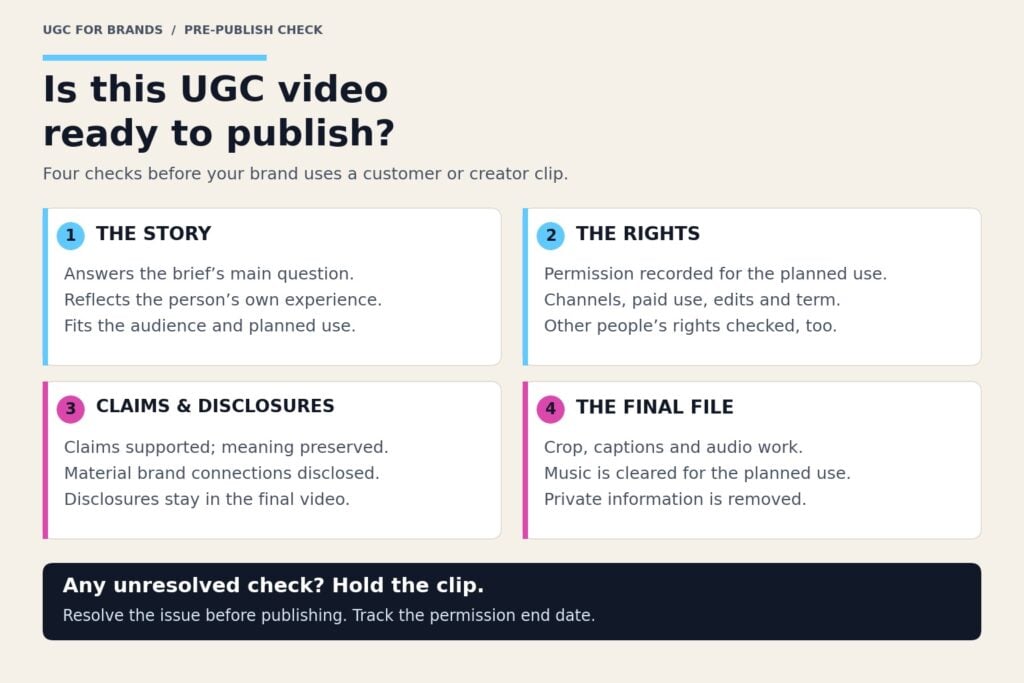
UGC for brands: 7 things marketers shouldn’t do
1. Don’t script the customer’s opinion
Give people a question and clear rules, then let them say what happened. If each person has to repeat the same glowing line, you lose the details that make their story useful. You’ll get a chorus of brand copy.
Try “What changed in your routine?” instead of “Tell us why we’re the best.” A script can guide a product demo. It shouldn’t invent someone’s story. Leave room for a mixed view, a small surprise, or an honest flaw.
2. Don’t require a public post when you need a video
Some customers will send you a clip but won’t post it to their own social accounts. Treat those as separate choices. Explain who sees the clip during review and whether your brand may publish it later.
If people must set up accounts, move files, and post in public, check which steps your goal needs. Guided video collection through a link or QR code can simplify the request. In BrandLens, people follow on-camera prompts and send their clips through their browser.
3. Don’t confuse buying content with buying reach
A creator’s fee may cover filming without any access to their fans. If you need them to post, agree the account, posting date, placement, and reporting separately. If you need content alone, assess the work against the brief instead of follower count.
Someone with few fans can still give a great product demo. A large fan base doesn’t make their clip right for your product page. Choose the service you need before paying for a big number next to someone’s name.
4. Don’t hide the brand relationship
Explain disclosure requirements before filming and check the finished version before it runs. The FTC’s disclosure guidance covers relationships such as payment, gifts, jobs, and other ties viewers should know about. A gifted product can still require disclosure.
Put needed disclosures where viewers see or hear the claim. For video, put it in the clip. Show and speak the disclosure when the endorsement uses both sight and sound. Don’t assume a buried caption or platform label is enough.
5. Don’t make rewards depend on praise
Offer a reward for an honest contribution, not for saying something positive. Under the FTC’s consumer review rule, businesses cannot condition consumer-review incentives on positive or negative sentiment. Adding a disclosure doesn’t fix that arrangement.
The rule distinguishes consumer reviews from hired influencer testimonials, which face other truthfulness requirements. Set reward terms around who can take part and what they must send. Don’t require praise. Check the rules of any review platform you plan to use.
6. Don’t turn feedback into an endless reshoot
Assign one person to bring feedback together and spot which requests change the brief. If the creator followed your brief, a new message means a change in scope. Agree the extra work and pay before asking them to film again.
Be clear when something needs fixing: identify the scene, the issue, and the needed correction. “It needs more energy” can become a very expensive guessing game. Meet your own review and payment deadlines, too.
7. Don’t disappear after the submission
Confirm receipt, explain what happens next, and deliver any promised reward on time. Thank people even when their video isn’t selected. Tell people when their work appears, where appropriate and as agreed.
A customer who hears nothing may not volunteer again. Keep future requests relevant. One clip does not mean someone has agreed to all your marketing messages. A UGC program needs people who want to take part again.
7 UGC pitfalls to catch before they cost you
1. Music rights that don’t travel with the video
A creator’s permission to use their video may not cover the song playing underneath it. A sound available in one app may also lack permission for another channel or paid ads. Ask for a version without added music for reuse.
TikTok’s commercial music guidance distinguishes its commercial library from its general music library. Check the license, placement, and region before use. A catchy chorus shouldn’t be the reason your strongest customer story gets shelved.
2. Other people and private details in the frame
A person may film a colleague, a child, a shipping label, or a customer’s screen without noticing. The person who sends the clip may not hold all the rights you need. Review both the picture and the audio before approval.
Ask people to avoid private information and obtain any needed permissions for identifiable people. Set clear review steps for clips with children or in private settings. Ask only for the contact details you need. Explain how you’ll use them.
3. Permissions that expire while the ad keeps running
A file can remain in your folder long after its usage term ends. Record the permission start and end dates, approved channels, and renewal owner. Set a reminder early enough to renew or stop scheduled use.
Account-based advertising adds another check. For example, TikTok Spark Ads require creator authorization. Keep that platform access in line with your agreed terms. A working authorization code should never replace checking what your agreement allows.
4. A technically good clip that doesn’t fit the placement
Clear footage can still fail when captions cover a face or a website crop hides the product. Check the final clip where you plan to use it, with the platform’s buttons and text around it. Keep essential visuals and text away from areas that may be covered.
Get the source file and any agreed clean version before the job ends. Review captions for names, product terms, and meaning. Auto captions are a first draft; they don’t know which word changes your claim.
5. An honest story turned into a misleading claim
A customer can sincerely describe a result your brand cannot promise to everyone. The FTC’s endorsement guidance addresses unsupported claims and exceptional results. Review the claim as closely as the footage. Check what the final edit leaves out.
Don’t cut words that change what someone meant. Keep proof with the approved clip and flag claims that need expert review. An AI-generated person is not a customer; never present an invented experience as a real testimonial.
6. A collection that only represents your superfans
People keen to record may have different views from those who stay quiet. A folder full of keen fans can miss new users, common doubts, or less well-known uses. These clips tell you what those people think. They don’t speak for your whole customer base.
Invite across the groups you serve and track whose views are missing. Use prompts that welcome clear, balanced views. Don’t label a chosen set of clips as all reviews, or imply that all customers feel the same.
7. Lots of submissions hiding poor results
Separate how well you collect clips from how well they work. Track invitation response, completion, usable-video rate, and filming cost before you celebrate a large haul. Then measure the published content against its goal, such as qualified visits, purchases, applications, or sign-ups.
For ad tests, keep the audience, offer, budget, and test periods as close as you can. A stronger result may reflect a better offer rather than the video. Record what changed so your next brief builds on evidence.
What does a useful customer video request look like?
Here’s an illustrative request for a customer who has used a travel bag. The length and format suit this example. They aren’t fixed rules.
“Show what you packed for one overnight trip and explain what worked or didn’t. Record one vertical video, about 20–40 seconds, with clear speech and no added music. Use your own words and keep other people and private details out of the frame.”
Add the actual deadline, reward terms, submission link, and proposed uses before sending. For a paid assignment, also include the fee, payment date, deliverables, and revision allowance. The prompt and the terms belong together.
Questions marketers ask about collecting and using UGC
How do brands get UGC from customers?
Ask customers once they’ve had time to use your product or service. Give them one clear question and a simple submission link. Explain the effort, possible uses, and any reward upfront. Start with a small group and use their feedback to improve the request.
How much should a brand pay a UGC creator?
There is no single rate that fits all briefs. Compare quotes for the same deliverables, revisions, usage period, and posting requirements. Include products, shipping, editing, and staff time in the budget. Our guide to creator fees and customer video costs breaks down those differences.
What should a UGC brief include?
Include the purpose, audience, main question, needed shots, format, deadline, and submission method. Add usage terms, disclosures, payment, and revision limits where relevant. Show what success looks like while leaving people room to describe their actual experience.
Can a brand repost a video if the customer tagged it?
A tag alone does not grant broad marketing rights. Ask the rights holder and record the agreed scope before downloading and republishing their video. Check music and other third-party material too. Native sharing features have their own platform terms.
Can brands use customer or creator UGC in paid ads?
Yes, when they have the needed rights and the ad meets ad rules that apply. Specify paid use, channels, regions, term length, and allowed edits. Also get any needed access to run ads through a creator’s account. Permission for an organic repost should not be treated as blanket ad permission.
Do gifted UGC videos need a disclosure?
A free product can create a material connection that needs disclosure when the video endorses the brand. The same can apply to discounts, payment, employment, or other benefits. Explain the relationship clearly, and review how the disclosure appears in the final video.
How do you measure a UGC program?
Measure both participation and the results of published content. Usable-video rate equals approved, usable submissions divided by total submissions, multiplied by 100. Cost per usable video equals collection and filming costs divided by usable videos. Report ad spend and campaign returns on their own.
Make the next request easier to answer
Before your next request goes out, check three things: can people understand it, complete it, and agree to its uses? Then check whether your team can review and publish what comes back. Those choices shape what you get back.
BrandLens lets organizations build guided video requests, collect rights information, and receive submissions in a content library. Your team still chooses the terms, checks the clips, and decides what to publish.
Repeated guidance and missed follow-ups take time. A walkthrough of guided customer video collection can help assess that approach. Which part of your UGC program creates the most rework: the request, the review, or the reuse?
The FTC examples above concern U.S. advertising. Requirements vary by market and context.